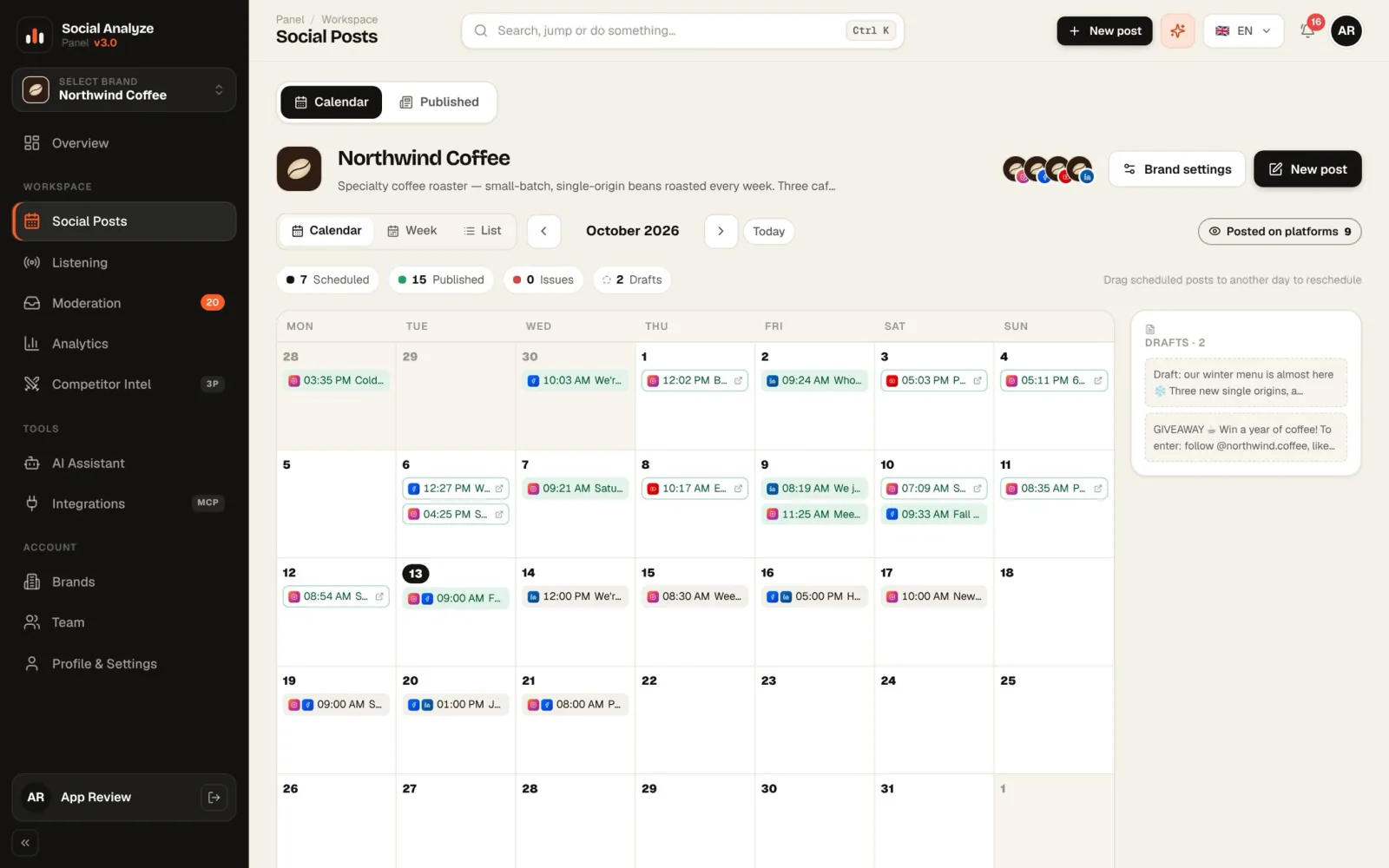
Plan the week.
Prepare one post for every platform it suits, drag it across the calendar and keep the time. Drafts and published posts sit in the same view.
- Month, week and list views
- Per-platform suitability checks
- AI caption ideas
Your Instagram, Facebook, YouTube, LinkedIn, TikTok and X accounts — comments, scheduled posts and reports — on one desk. Your team and your AI assistant work from the same data.
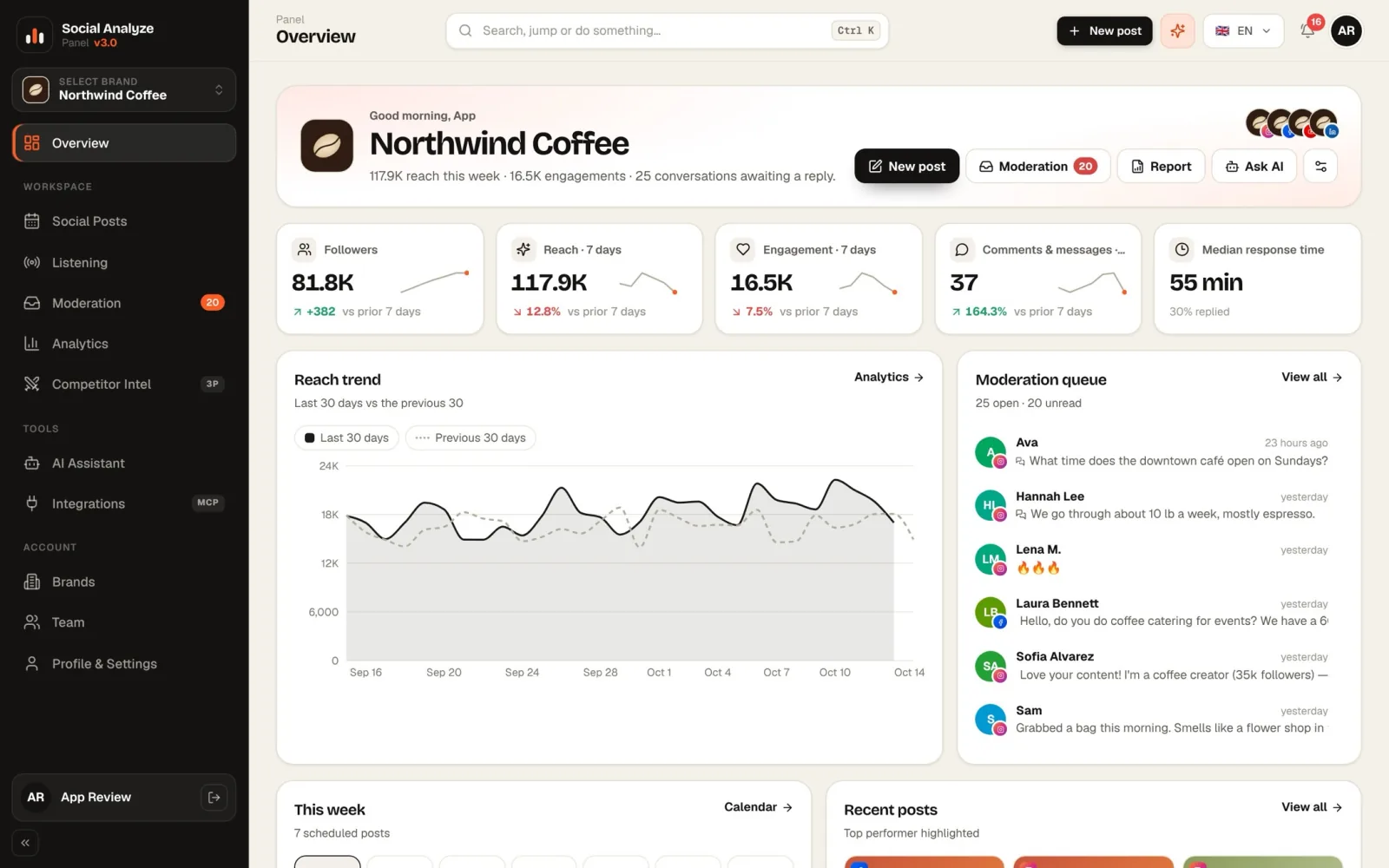
Five jobs of a social media day, in the same panel. The screens are from the real app, on the Northwind Coffee demo brand.
Prepare one post for every platform it suits, drag it across the calendar and keep the time. Drafts and published posts sit in the same view.
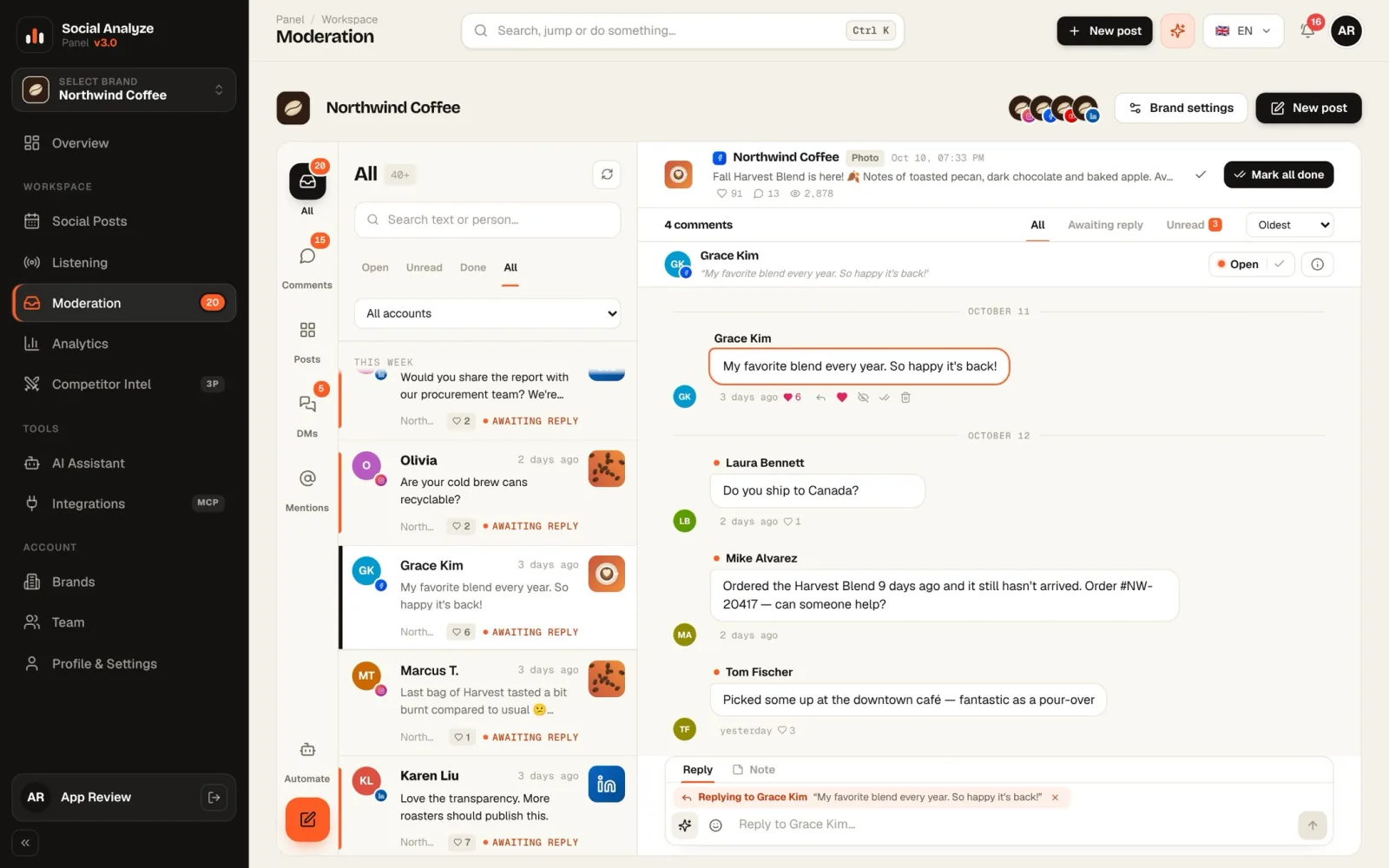
Comments and messages in one inbox, grouped by post. Like, hide, delete, reply privately; edit an AI suggestion and send.
Reach, views, engagement and followers, each next to the previous period. The best content types, times and posts.
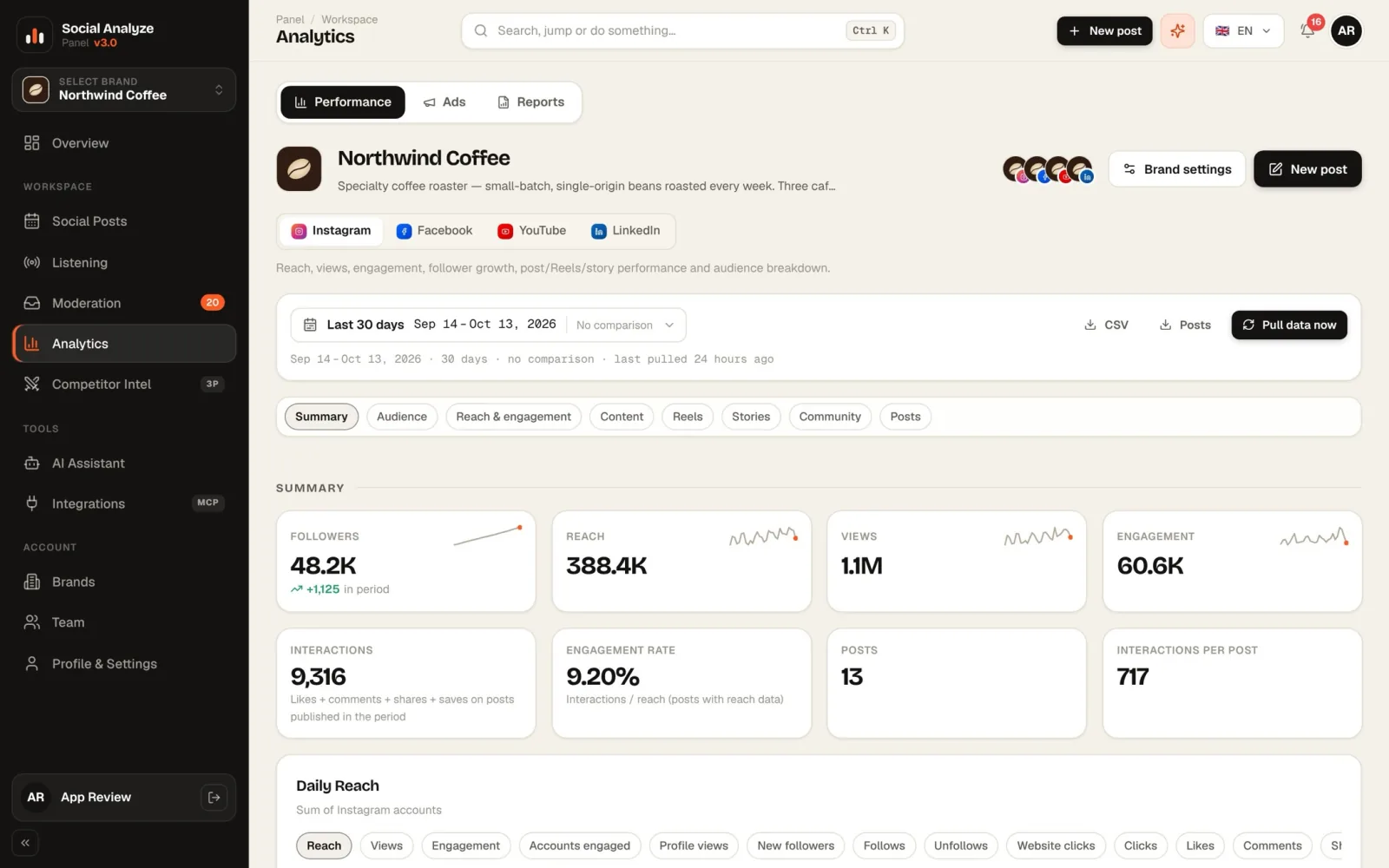
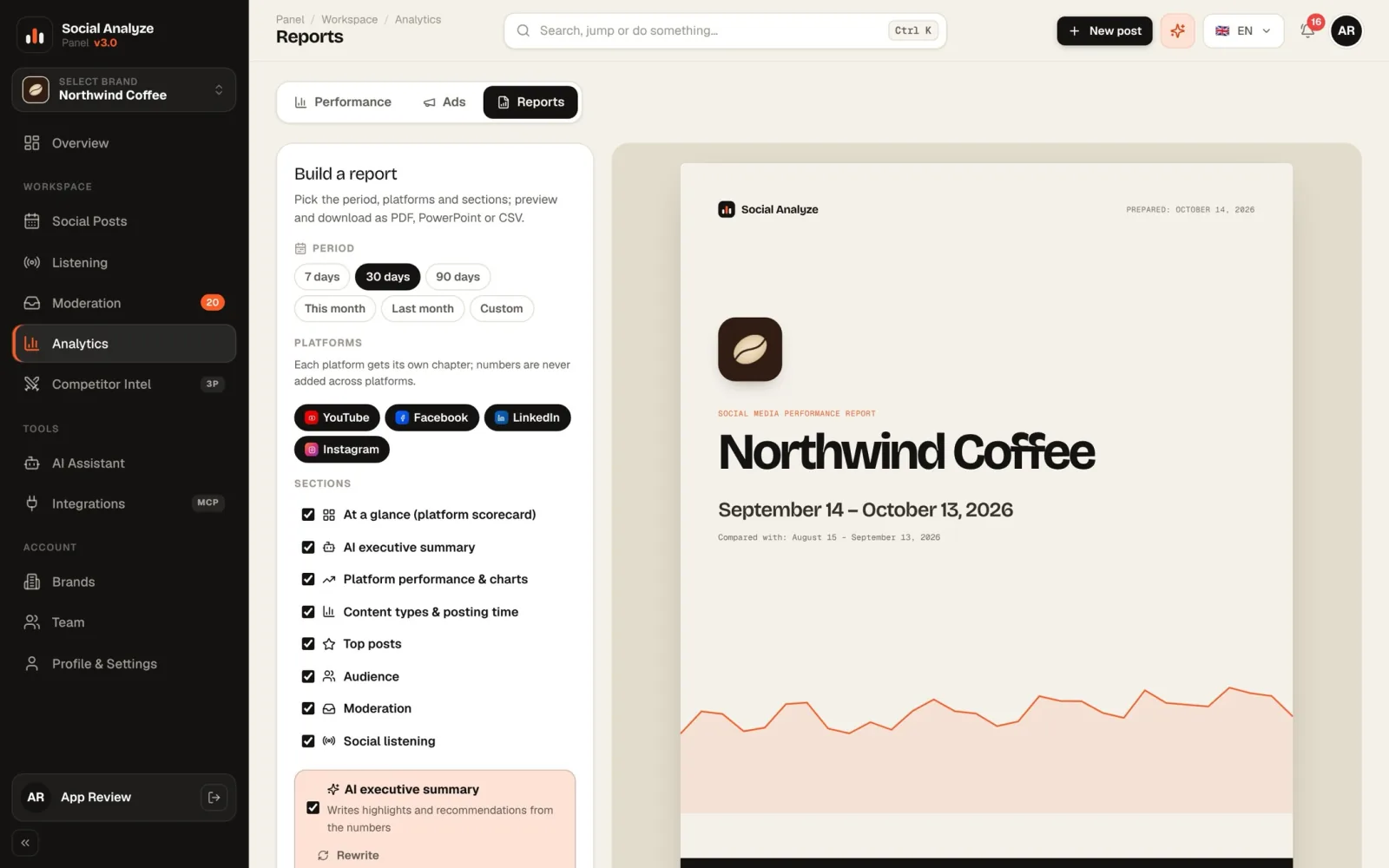
Pick the period and sections; download an A4 PDF, PowerPoint with editable charts, or CSV — with an AI executive summary up front if you like.
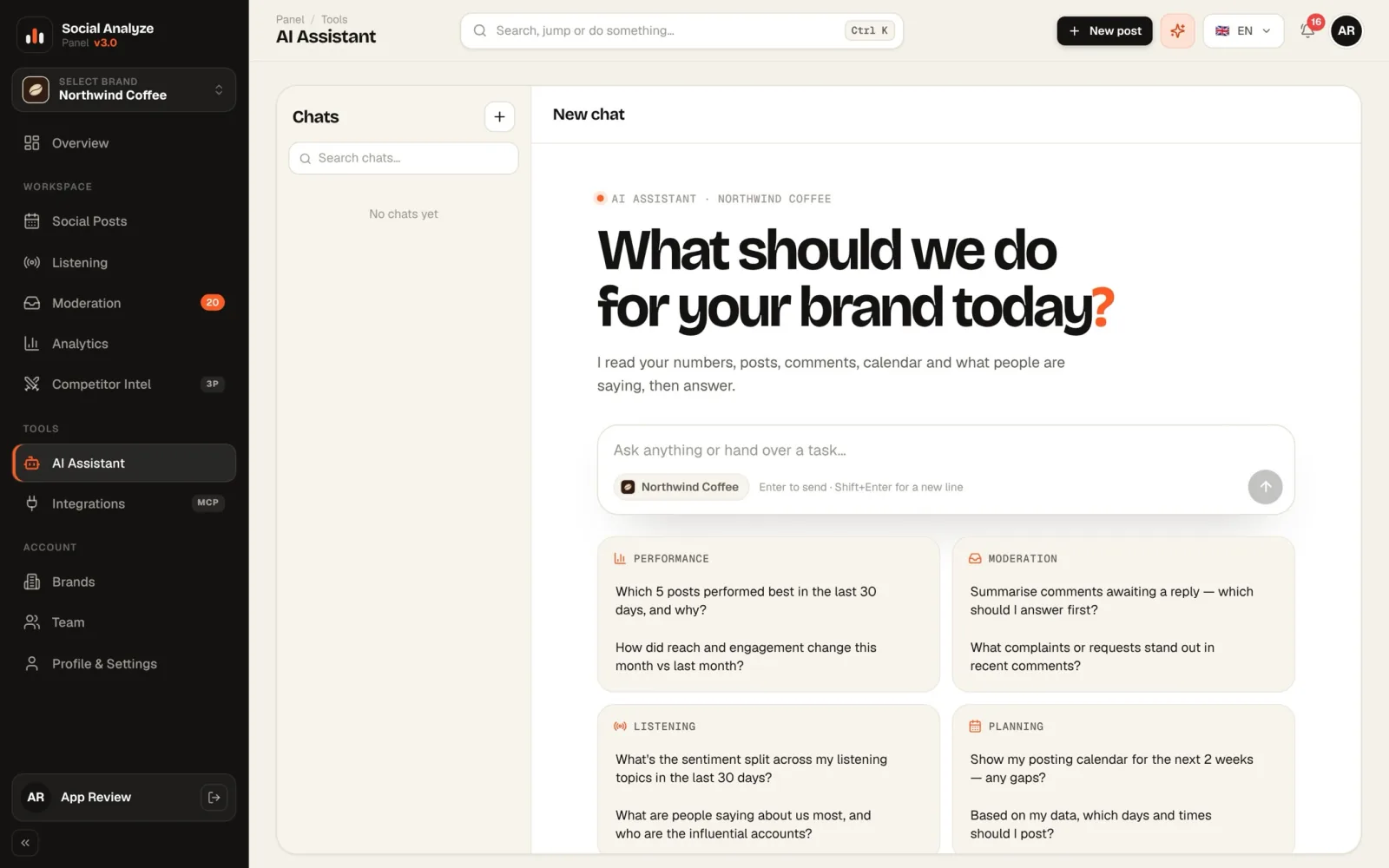
“What was our best post this month?” The assistant pulls the data with tools and answers with the source — and says so when data is missing.
Instagram, Facebook, YouTube, LinkedIn, TikTok and X. Six platforms, one calendar, one team.
Connected-account data comes from official APIs. Listening and competitor profiles use public data and live in separate modules.
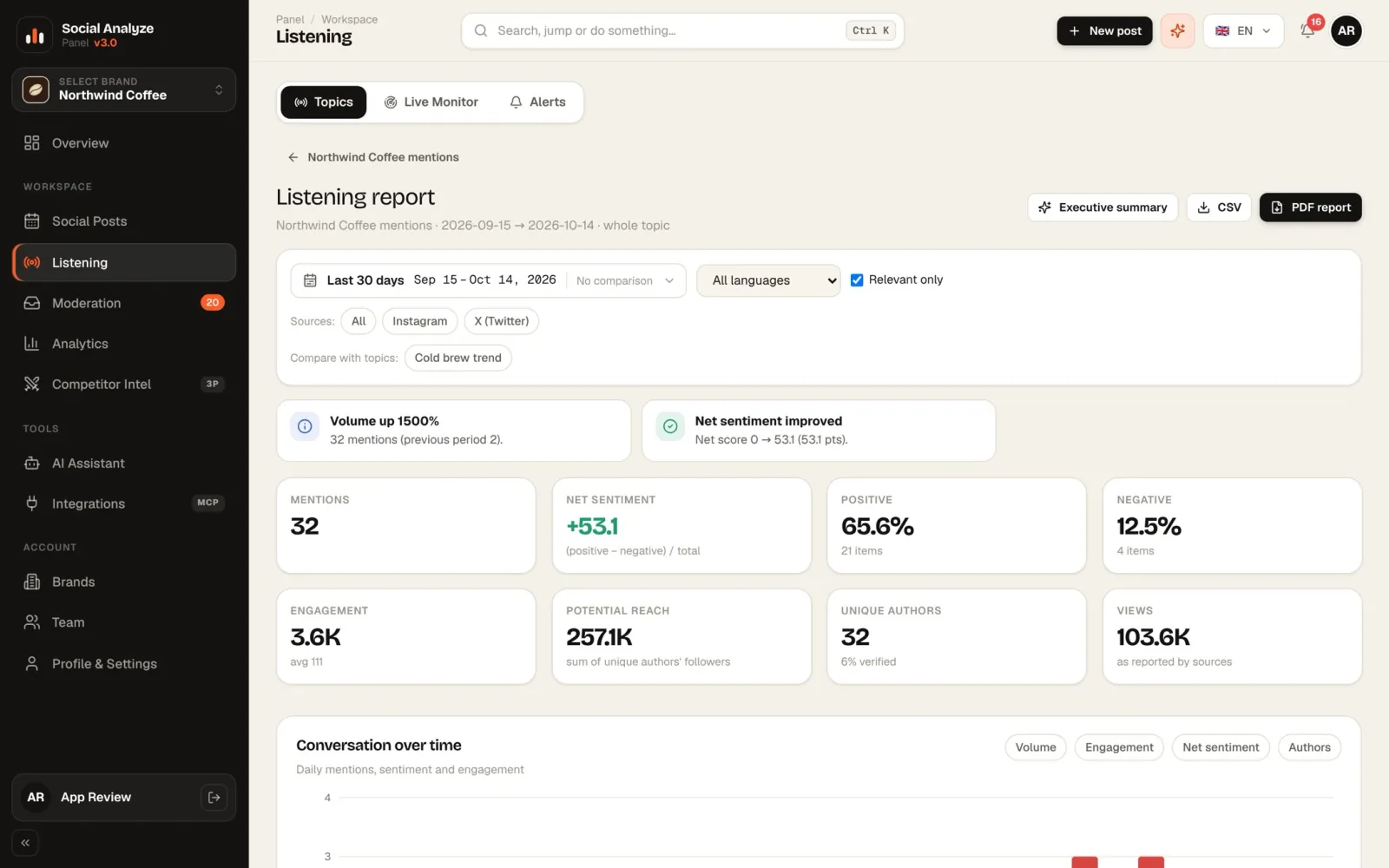
Create topics, follow mentions on X, Instagram and LinkedIn with sentiment, and get alerts on volume spikes.
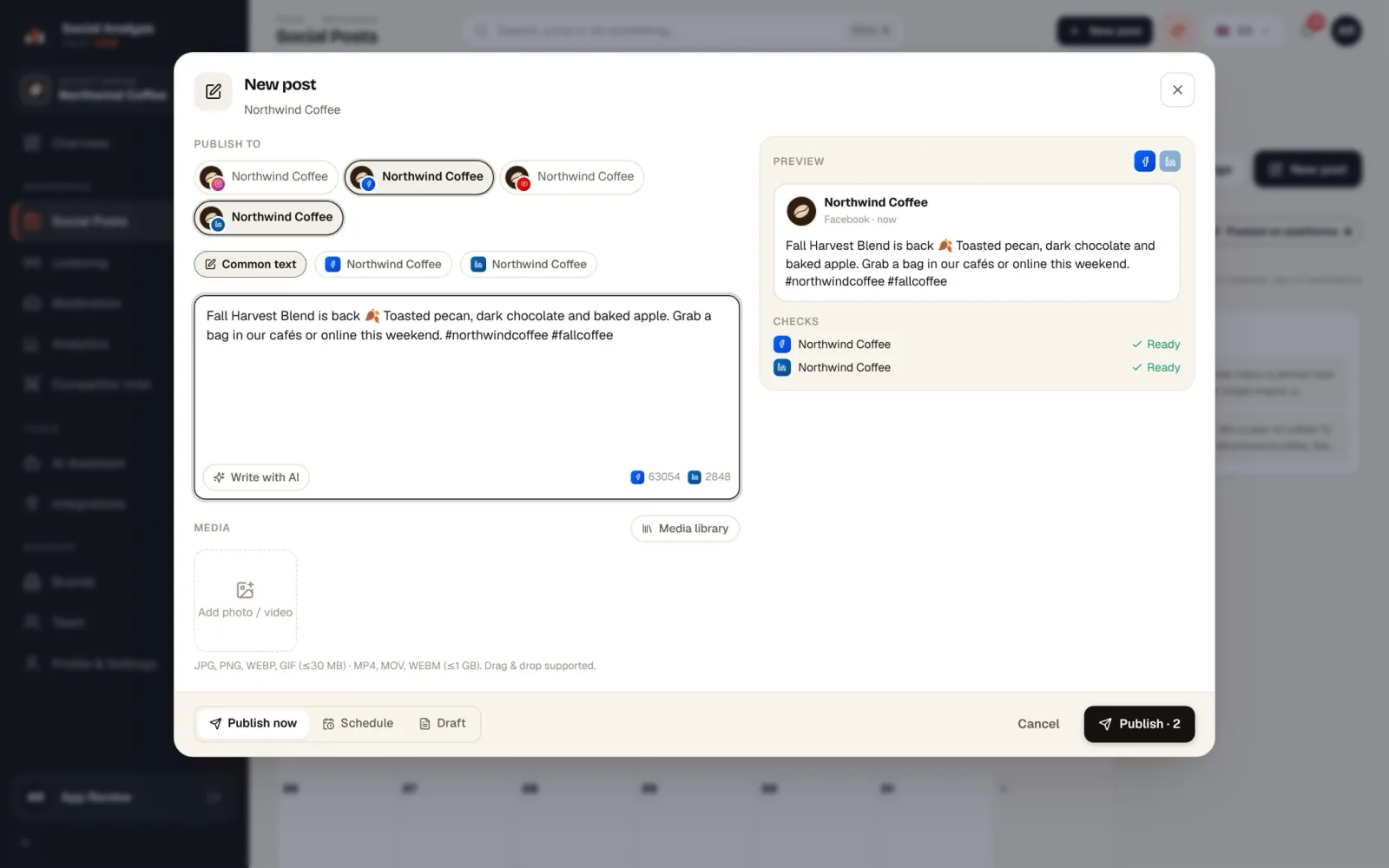
Pick the accounts, write shared or per-platform text; the panel checks each platform's rules before anything goes out.
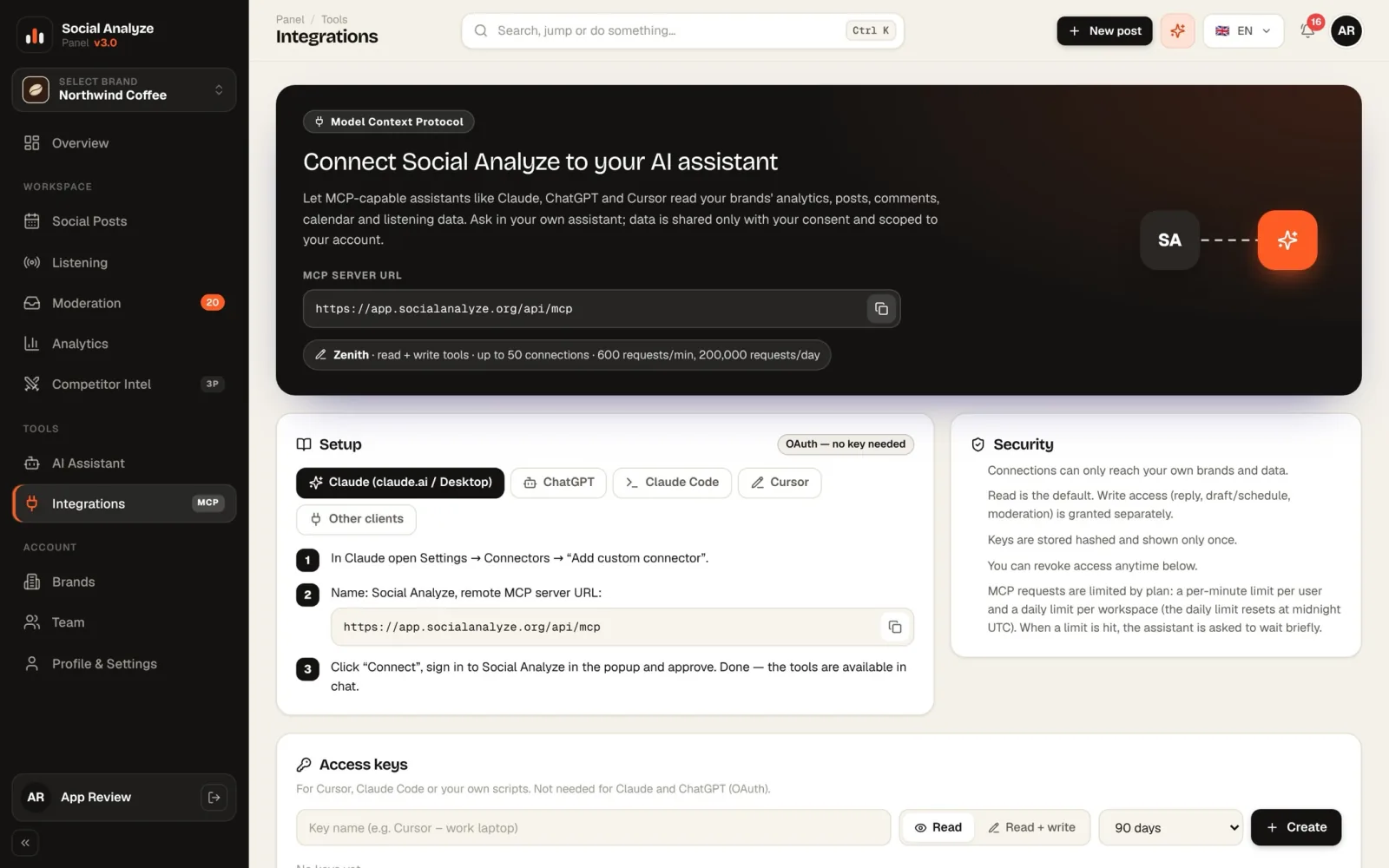
With MCP, Claude, ChatGPT or Cursor can read your brand's analytics, posts and comments. Write access is granted separately.
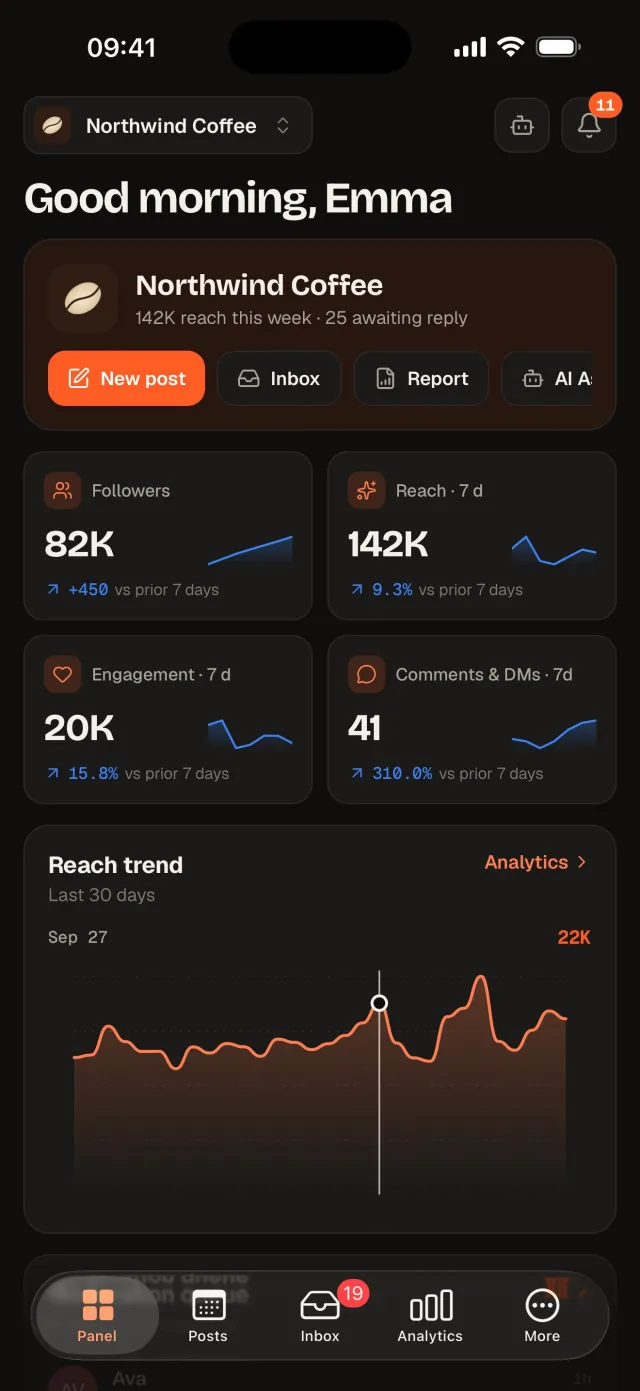
Reply, schedule and share reports from iPhone and iPad, with side-by-side moderation on iPad.
Free on the App Store.Analyse any public profile — niche, real competitors, hashtag strategy and engagement — and compare profiles side by side.
Competitor data comes from third-party sources and may differ from official analytics.Accounts connect through the official OAuth flow and tokens are stored encrypted with AES-256-GCM. Disconnect any time and ask for your data to be deleted.
GDPR and KVKK processesThey scan the trends, remember the special days, get to know your audience, prepare the content and the video and drop it in as a draft at the best time. You always have the final say.
Plans your week, prepares the content and slots it in at the best time. In the default approval mode nothing goes live until you approve it with one click.
With “+” packagesPulls today's and this week's trends from Google Trends, YouTube and your own listening data, scores them for your brand and hands you ready content ideas.
On every paid planTurkish and global special days in one calendar, with ideas in the right tone for each. Remembrance and mourning days are handled respectfully, never as a celebration.
On every paid planAn audience persona per channel: age, gender, country and city, active hours, best formats. The suggested ad targeting goes straight into the ad wizard.
On every paid planHow do ChatGPT, Claude and DeepSeek talk about your brand? Mention rate, rank, sentiment, competitors' share of voice, cited sources and how to improve.
With “+” packagesTurns a trend, special day or topic into captions, images and a vertical video with voiceover and subtitles, saved as a draft in your calendar.
With “+” packagesBuilds a weekly content plan from trends, special days and your audience's active hours.
Writes captions and prepares images and voiced vertical videos in your brand's voice.
Drops each post into your calendar as a draft at the best time for your own analytics.
Approval mode is the default: edit, approve or reject. Approved posts go out at their scheduled time.
Trend Radar, Special Days and Audience Profile are included in every paid plan. Autopilot, Content Agent and AI Visibility come with the Pulse+, Studio+, Atlas+ and Summit+ packages.
The assistant doesn't guess: it pulls analytics, posts, comments and listening data with tools and answers with the source. Plug the same tools into Claude, ChatGPT, Cursor, Claude Code or any other MCP client.
Set up MCP{
"mcpServers": {
"socialanalyze": {
"url": "https://app.socialanalyze.org/api/mcp",
"headers": { "Authorization": "Bearer sa_pat_…" }
}
}
}
# Claude and ChatGPT connect with OAuth — no key neededEach client gets its own brand workspace. Accounts, reports and calendars never mix, and team members only see the brands and sections you give them.
Replies within minutes, a weekly calendar and the PDF report for leadership — from the same screen.
See which formats and times work, watch peer accounts and expand ideas with AI.
Instagram (business/creator), Facebook Pages, YouTube channels, LinkedIn Pages, TikTok and X connect through official APIs: publishing and analytics, plus comments and messages on Instagram, Facebook, YouTube and LinkedIn. X comes with its own monthly post allowance on Pulse and above.
1 brand, 2 connected accounts, 8 scheduled posts, 10 AI messages and 1 PDF report a month, with 14 days of analytics history. Move to a paid plan when you need more.
Trend Radar, Special Days and Audience Profile are included in every paid plan from Pulse up. For Autopilot, the Content Agent (voiced video) and AI Visibility you add a “+” to your plan: Pulse+, Studio+, Atlas+ or Summit+. Zenith includes every agent with custom limits; the free Spark plan has no AI agents. You can also run them on your own AI keys.
Access is granted via OAuth, tokens are stored encrypted and bound to your account. We don't sell data; you can disconnect and request deletion at any time.
Yes — on the App Store for iPhone and iPad, with moderation, scheduling, analytics, reports and the AI assistant.
Yes. Every brand is its own workspace with separate accounts, topics and reports. The number of brands depends on the plan.
Open an account, create your first brand, connect your accounts. Within minutes you're answering comments from the panel.